









































Visualize Ideas, Simplify Timelines,

Elevate Presentations

The ultimate tool for brainstorming, planning, and presenting ideas that pushes students to prioritize thinking over AI shortcuts.

No subscription commitment

Universities Where Instructors Have Used ClioVis

What People Say About ClioVis

What Can You Do with ClioVis?

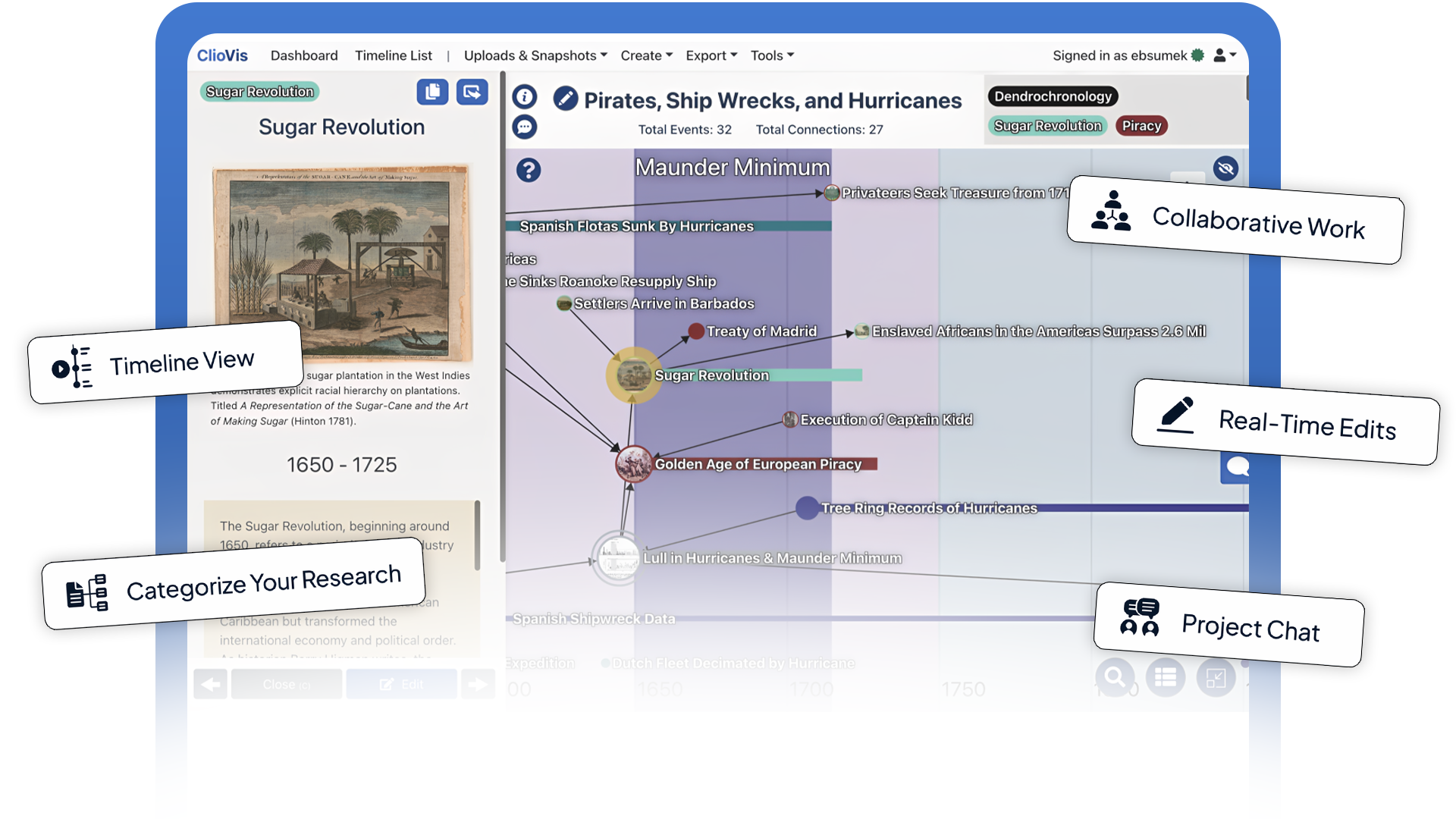
Bring your team together with real-time editing and chat. ClioVis makes collaboration seamless, intuitive, and efficient.
Manage references with ease. Hyperlink primary and secondary sources directly to your projects, ensuring every detail is traceable and properly cited.
Visualize relationships and patterns across time, space, or concepts. See how ideas and processes are connected to gain deeper insights and context.

Here’s How Students Use ClioVis

Build the ultimate study toolkit, get better grades

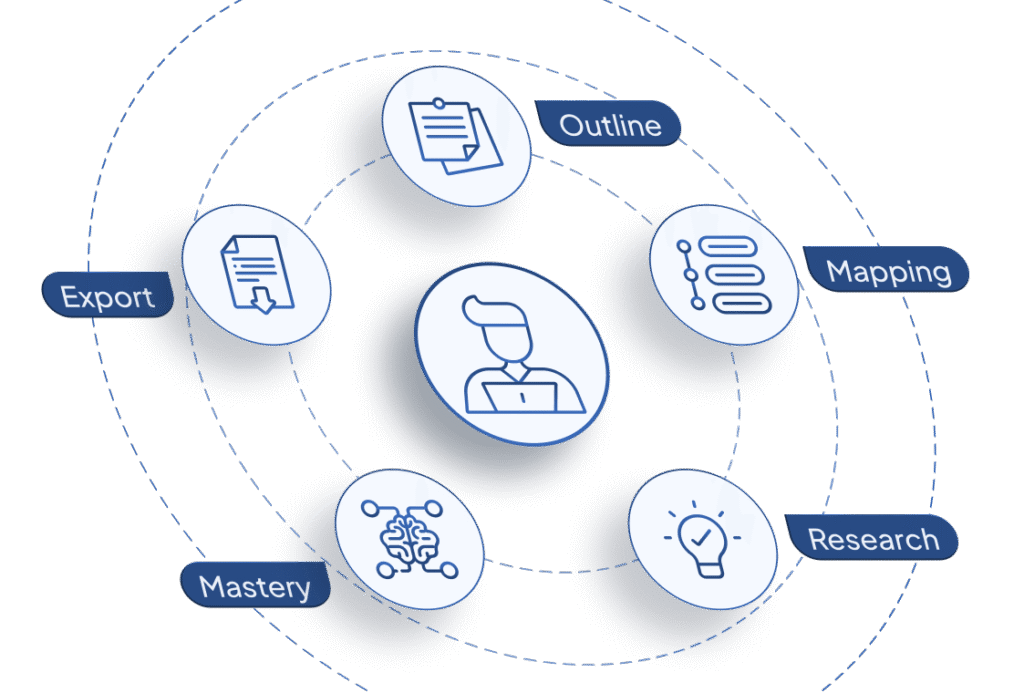
Students can use ClioVis to outline lectures and readings, creating an ongoing visual “network map” of an entire course. You can plot answers to research-based questions, using the ClioVis visualization process to master difficult material which means you earn higher grades. When you’ve completed mapping your material you can export your research in a text format to turn in as an assignment or use as a first draft of a paper.

See a sample ClioVis timeline →

Build the ultimate study toolkit, get better grades

  • Outline lectures and readings to create an ongoing visual “network map”
  • Plot answers to research-based questions for better exam prep
  • Use the ClioVis visualization process to master difficult material
  • Earn higher grades by gaining deeper insights through concept mapping
  • Export your research in text format to use as a first draft of a paper.
  • Turn in mapped material directly as a completed course assignment
  • Bring your study team together with real-time editing and chat
  • Manage all your academic references with ease in one place
  • Visualize how different ideas and processes are interconnected
  • Present your ideas with standout presentations that show deep thinking

See a sample ClioVis timeline →

Create interactive assignments that help students stay engaged with course material and succeed in class.

  • Create interactive assignments that push students to prioritize thinking
  • Guide students to stay engaged with course material through visual tools
  • Help students differentiate between causation and correlation effectively
  • Use the platform to “reverse engineer” readings for better comprehension
  • Discern an author’s methodology through detailed visual breakdowns
  • Analyze how authors build and structure their core arguments
  • Develop essential citation skills as the platform prompts for sources
  • Discourage AI shortcuts by focusing on original critical thinking
  • Build, update, and store syllabi for future semesters easily
  • Ensure student Intellectual Property (IP) remains their own at all times

Cliovis is also an excellent tool for developing citation skills since the platform prompts them for a source.

Learn more about ClioVis for Science Classes →

Create engaging assignments that help students stay engaged with course material and succeed in class.

Use ClioVis to help students make connections that help them differentiate between causation and correlation. You can have students “reverse engineer” readings to help them discern an author’s methodology, with a particular focus on how they build their argument. ClioVis is also an excellent tool for developing citation skills as students cannot add an event to the timeline unless they have a source.

Learn more about ClioVis for Science Classes →

Perform and visualize complex network analysis to make your results easier to understand.

Advanced students can use ClioVis to assemble and visualize network analysis for dissertations and long-term research projects.
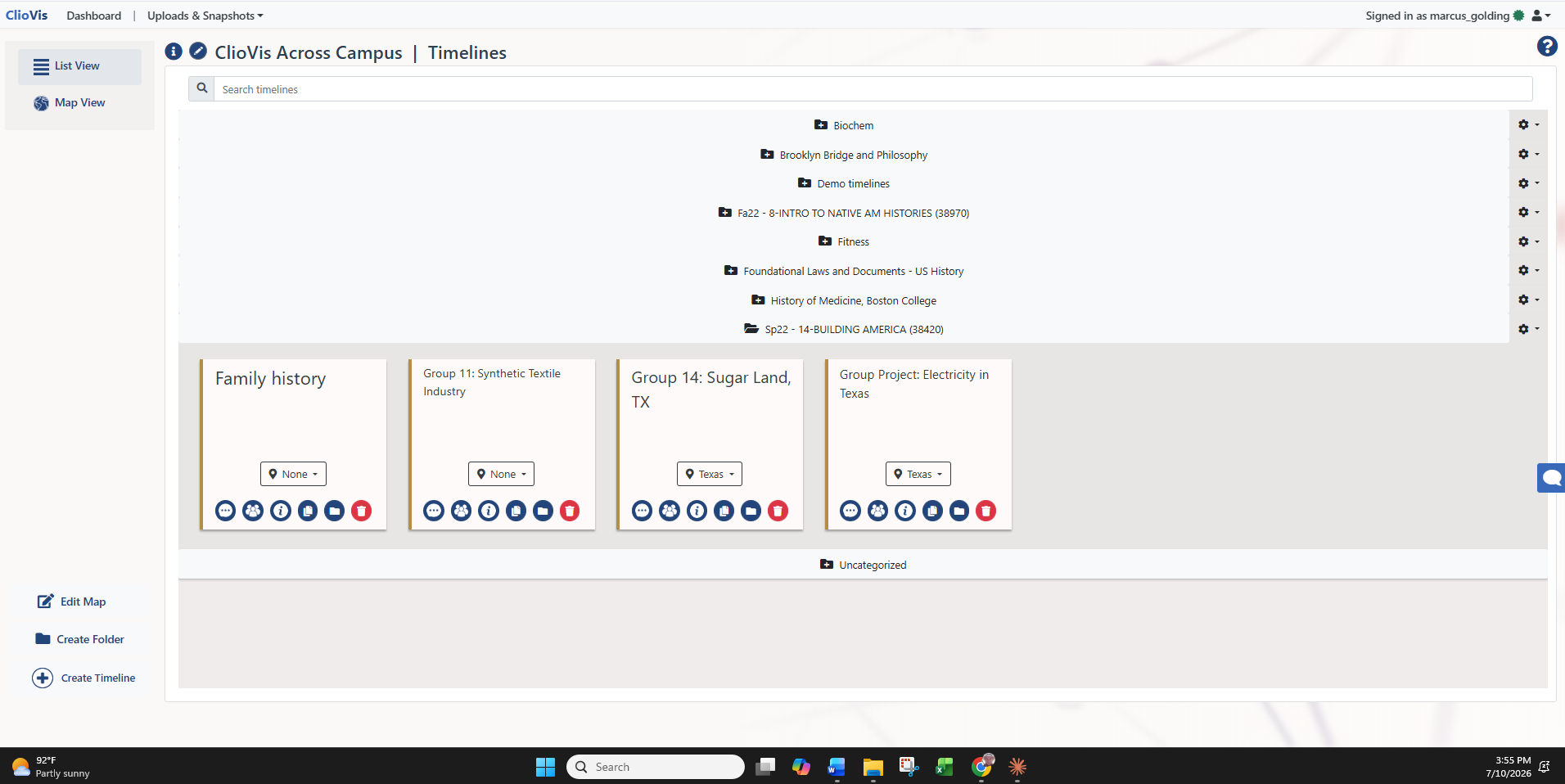
Genealogists can use it for family history projects.

Learn how to setup a project in ClioVis →

Perform and visualize complex network analysis to make your results easier to understand.

  • Perform and visualize complex network analysis to make your results easier to understand
  • Use ClioVis to assemble network analysis for advanced dissertations
  • Manage long-term research projects with structured visual mapping
  • Perfect for genealogists to visualize and track family history projects
  • Identify and explore intricate relationships across time and space
  • Visualize patterns and concepts to gain deeper context
  • Hyperlink primary and secondary sources directly to your research projects
  • Ensure every detail in your research is traceable and properly cited
  • Collaborate on complex data sets with real-time editing and chat
  • Showcase your research findings through interactive presentations

Learn how to setup a project in ClioVis →

As seen in

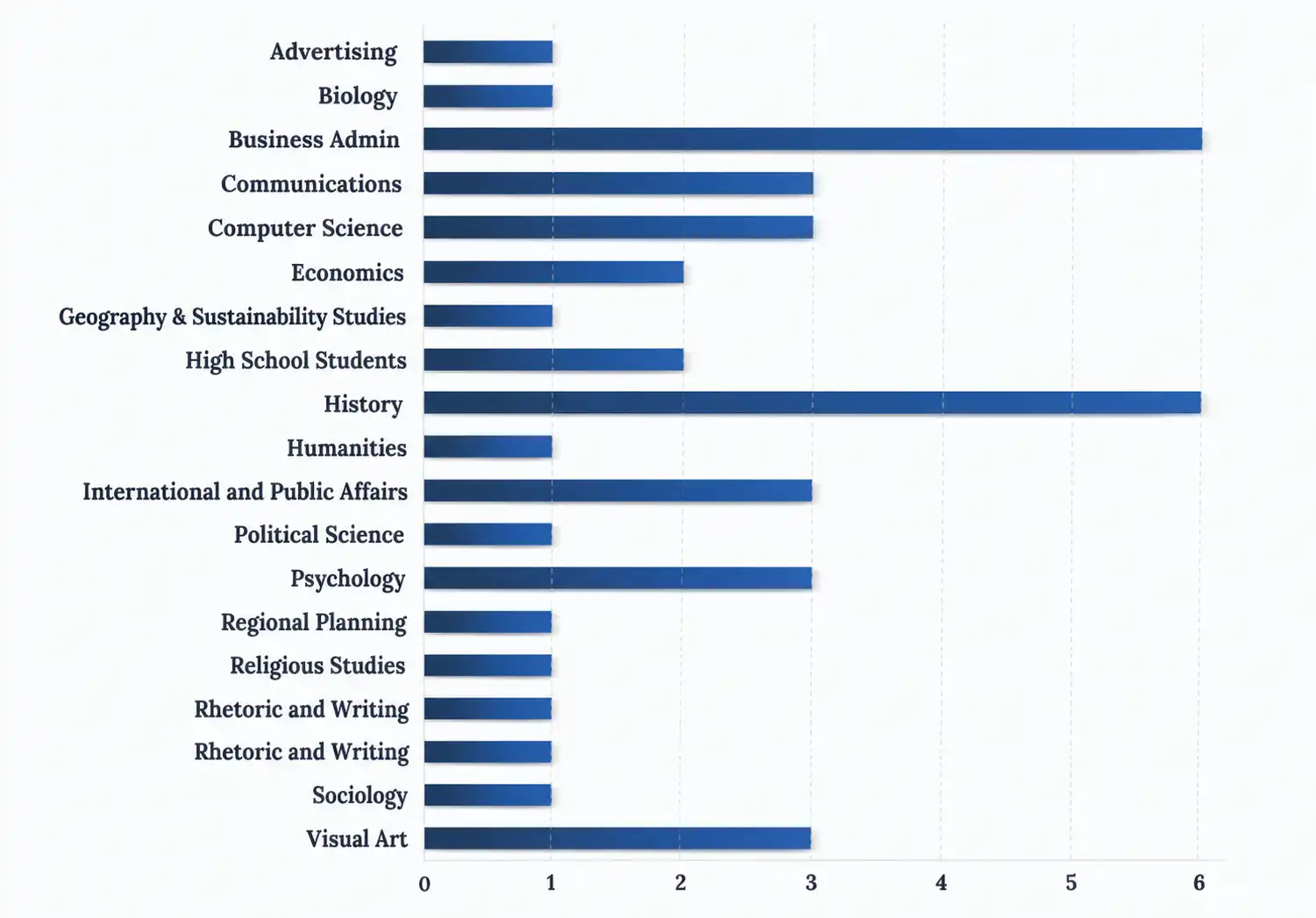
ClioVis has supported undergraduate and graduate interns from the following disciplines.

Why ClioVis Is Your Best Choice

ClioVis brings research, evidence, and argument into one visual timeline or network map built specifically to help students hone their critical thinking skills.

Audio and Video Uploads Timeline Mind Mapping Content Connection Maker Multi-Format Exports Real-Time Collaboration LMS Integration Made by and for Higher Ed Price (indiv. per sem/year)
Edwiki Free / $7.99
Perusall $15.00
TikiToki $37.50
Figma Free for EDU, $15.00 to $75.00 / month for business
Miro Free for EDU, $20.00 / month for business
Padlet $199.00 / year
Scrintal $29.70

Ready to Get Started?

Join thousands of students, educators, and researchers who are transforming how they work with ClioVis.

What our name means:

Clio

The Greek muse of history and storytelling — representing the preservation and safeguarding of knowledge.

Vis

Short for “visualize” — transforming ideas into clear, engaging, and meaningful visuals.

Together, ClioVis brings ideas to life — visually, clearly, and intelligently.
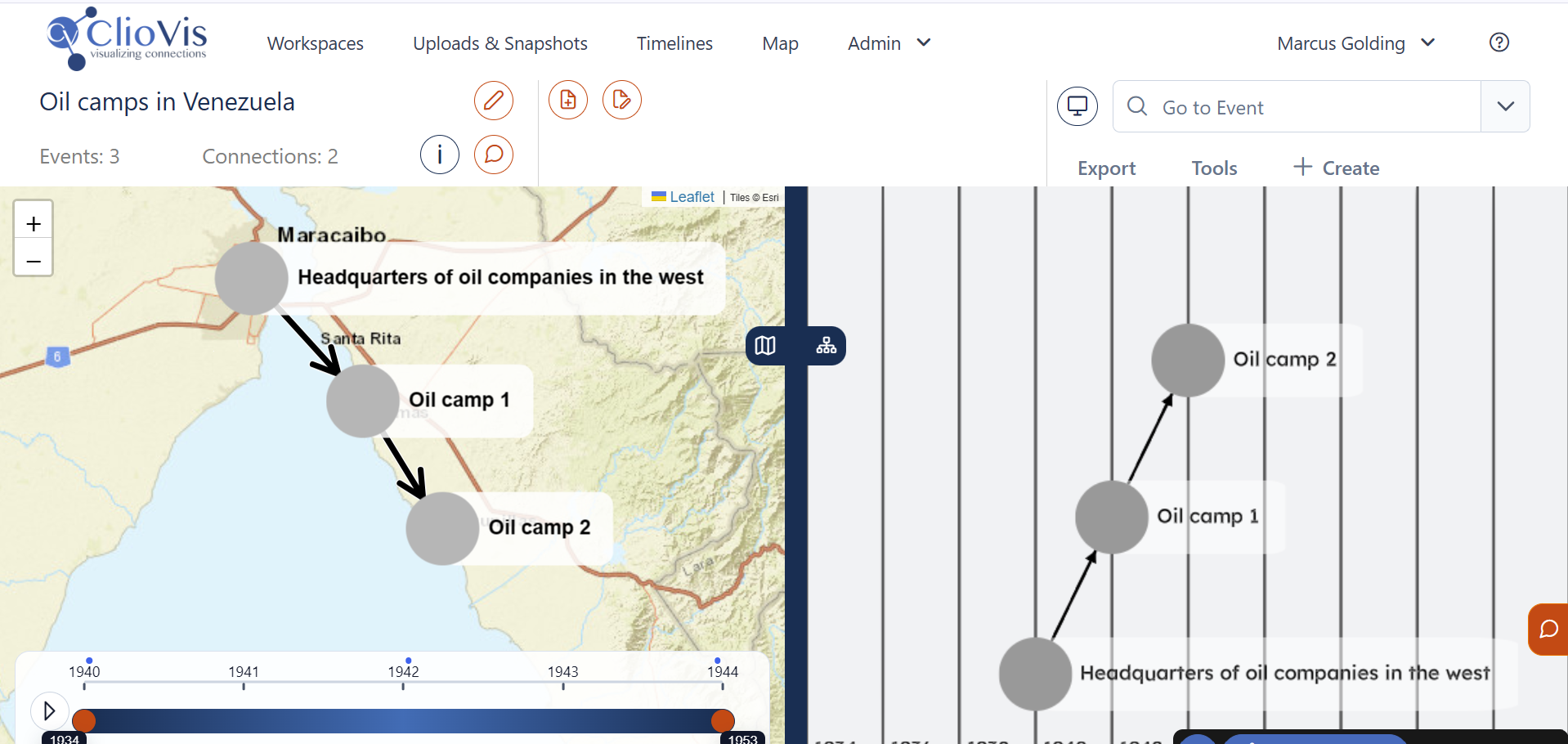
Experience the Future of ClioVis: Version 3.0

Coming Soon, a more powerful, intuitive, and visual way to connect history and maps.