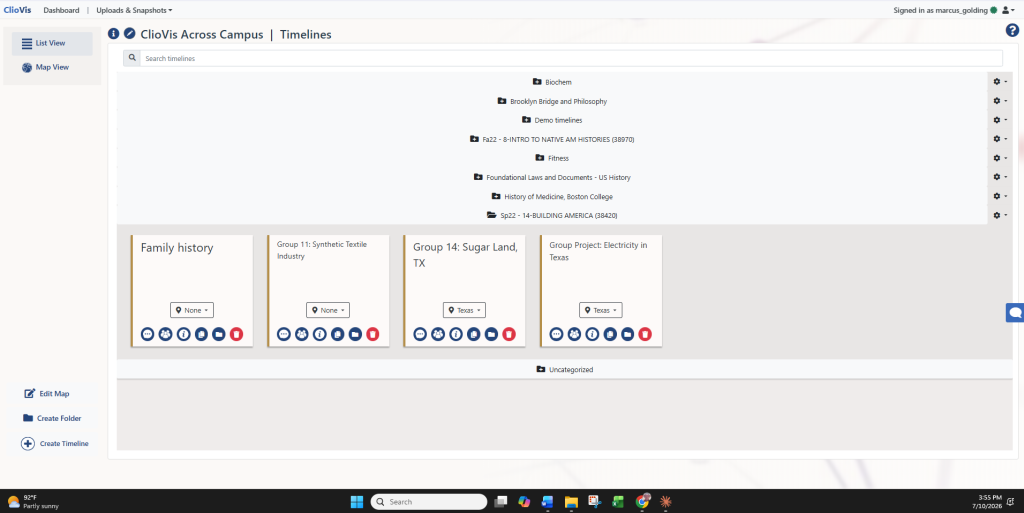
ClioVis makes it easy to build collaborative projects, timelines, and visualizations with students, colleagues, teaching assistants, or research teams. Whether you are managing a course assignment, developing a group research project, or coordinating a digital humanities initiative, ClioVis gives project owners (instructors or students working in groups) simple tools to invite members, assign roles, and work together in real time.
Invite Team Members with Project Codes
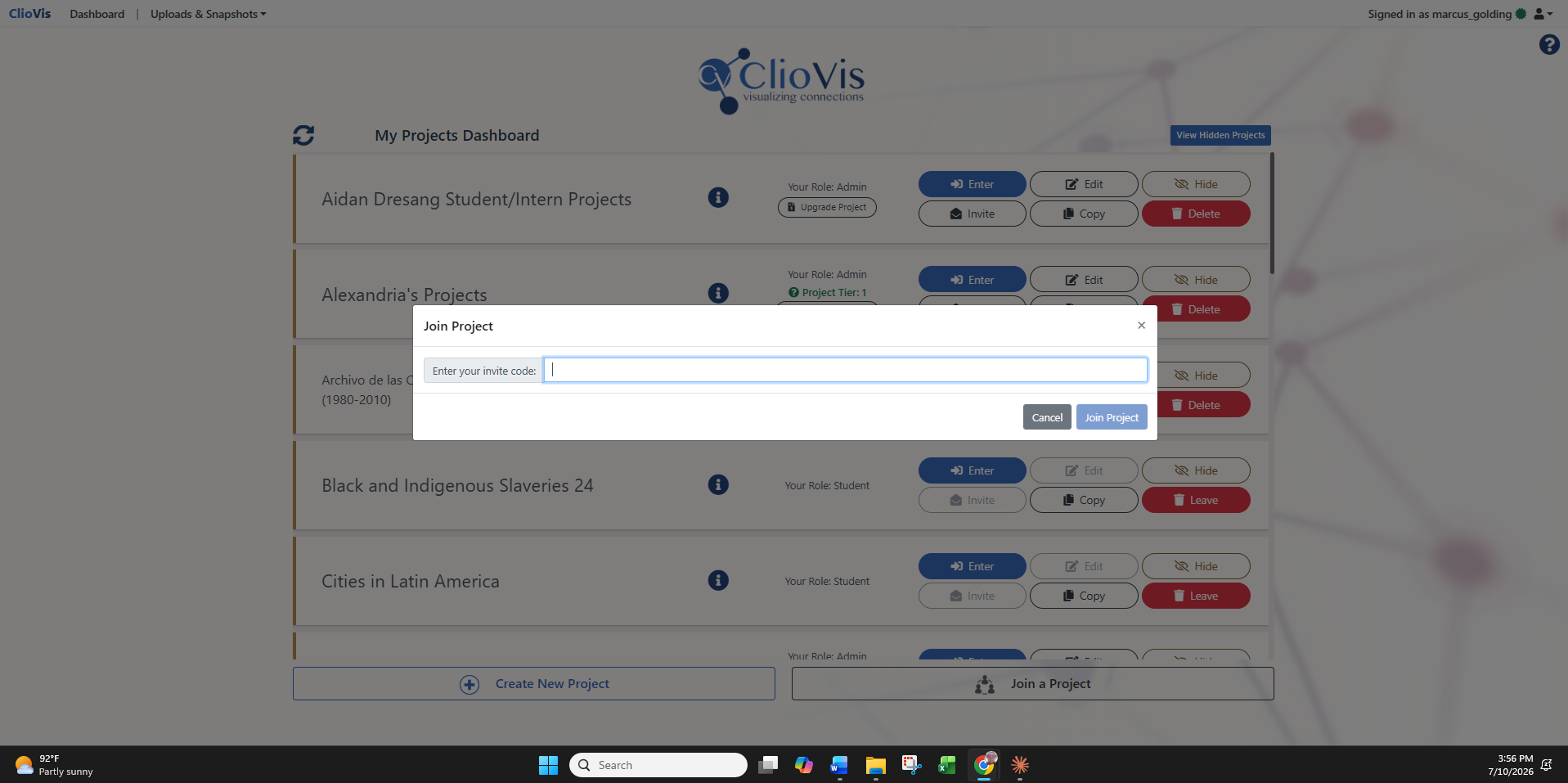
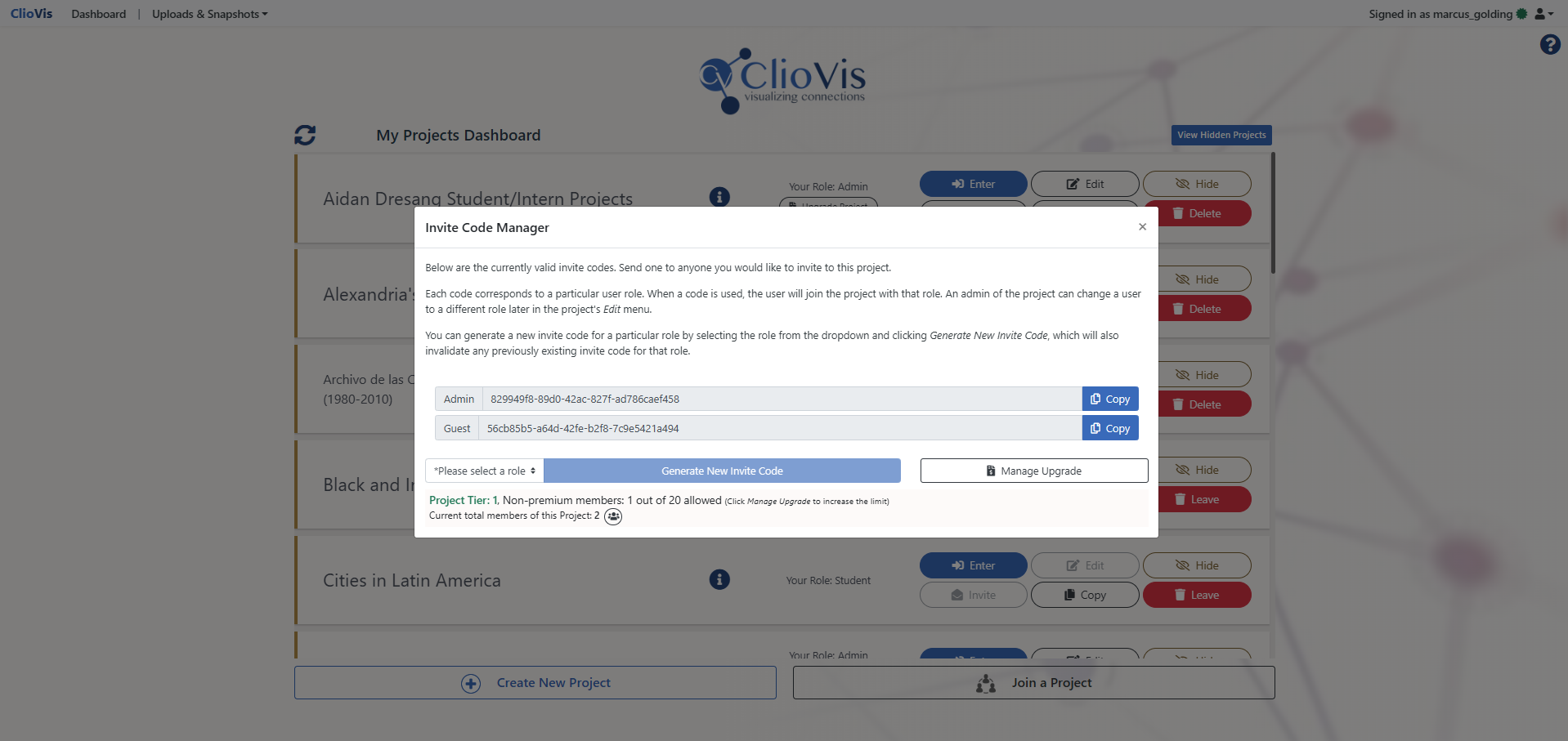
Project owners can invite collaborators by generating a unique project invite code. Team members simply go to their dashboard, select Join a Project, paste the code, and join the shared workspace.
This makes collaboration simple and flexible. Instructors can quickly invite students into a course project, researchers can bring collaborators into a shared workspace, and team leaders can manage access without requiring a complicated setup process.
“In a world older and more complete than ours they move finished and complete, gifted with extensions of the senses we have lost or never attained, living by voices we shall never hear.”
— Olivia Rhye, Product Designer
Assign Roles and Manage Access
ClioVis allows project owners to assign different roles to members, including admin, guests, students, and/or teaching assistant(s). These roles help determine how each person participates in the project.
Depending on their role, members can be added to existing timelines, contribute to shared timelines, or create their own timelines within the project. This gives project owners control over their workspace while still allowing collaborators to contribute meaningfully.
Build Timelines Together in Real Time
Once members are added to a timeline, they can work together in real time. Team members can add events, categories, descriptions, images, sources, and connections, helping transform individual contributions into a shared visual project.
This is especially useful for classes, workshops, and/or research teams where multiple people are responsible for building different parts of a larger timeline or concept map.
Communicate Inside the Timeline
Each ClioVis timeline includes an integrated chat function where team members can leave comments, ask questions, discuss decisions, and coordinate their work.
Instead of managing feedback across separate email threads, documents, or messaging platforms, collaborators can keep project-specific communication inside the timeline they are building.
Designed for Collaborative Learning and Research
ClioVis supports collaboration without losing structure. Project owners can guide the overall design of the project, while team members contribute evidence, interpretation, connections, and visual organization.
This makes ClioVis especially effective for classroom assignments, group presentations, collaborative research, digital humanities projects, and any project where teams need to organize complex information visually.